Mobile games with controller support appear on more phones and tablets in 2026. Players want precise controls, and many developers add controller options. This guide lists top controller-friendly mobile games, explains how to connect controllers on iOS and Android, and shows what players should look for in a controller and in future game updates.
Key Takeaways
- Mobile games with controller support are expanding in 2026, offering console-like experiences on phones and tablets.
- Top games like Genshin Impact, Call of Duty: Mobile, and GRID Autosport provide full controller layouts and accurate inputs for enhanced gameplay.
- Connecting controllers on iOS and Android involves simple Bluetooth pairing, with some controllers requiring companion apps for advanced features.
- Choosing a mobile controller involves considering ergonomics, battery life, button layout, and compatibility with both devices and cloud gaming services.
- Future trends include modular, lightweight controllers with adjustable mounts, low-latency wireless protocols, and built-in game controller tutorials for easier setup.
- Cloud streaming services like Xbox Cloud Gaming extend access to many controller-friendly games, enabling full console experiences on mobile devices.
Top Controller-Friendly Mobile Games To Try Now
Players find many mobile games with controller support that feel like console releases. Genshin Impact plays smoothly with a controller and offers full button mapping. Call of Duty: Mobile supports popular Bluetooth controllers and gives players accurate aim and movement. Fortnite still supports controllers on compatible builds and gives users a consistent experience across devices.
Racing fans can try GRID Autosport. GRID Autosport runs well on higher-end phones and gives full controller layout for steering, braking, and shifting. For fighting game fans, Mortal Kombat Mobile accepts controllers and reduces input lag for timed combos. Platformer players like Dead Cells and Castlevania: Grimoire of Souls because they add tight controller input and clear haptic feedback.
Indie titles also offer strong controller support. Stardew Valley supports controllers and gives a relaxed, precise play style for fans of farming and crafting. Hades ports include controller layouts and let players use dodge and attack combos with comfort. RPG fans often pick The Banner Saga and Baldur’s Gate 3, both of which accept controllers and keep menu navigation simple.
Cloud streaming services also increase options. Xbox Cloud Gaming and NVIDIA GeForce Now deliver many controller-friendly titles to phones. Players can pair a controller, launch the service, and play full console games without downloads. This approach extends the library of mobile games with controller support and helps players find the exact experience they want.
How To Connect And Configure Controllers On iOS And Android
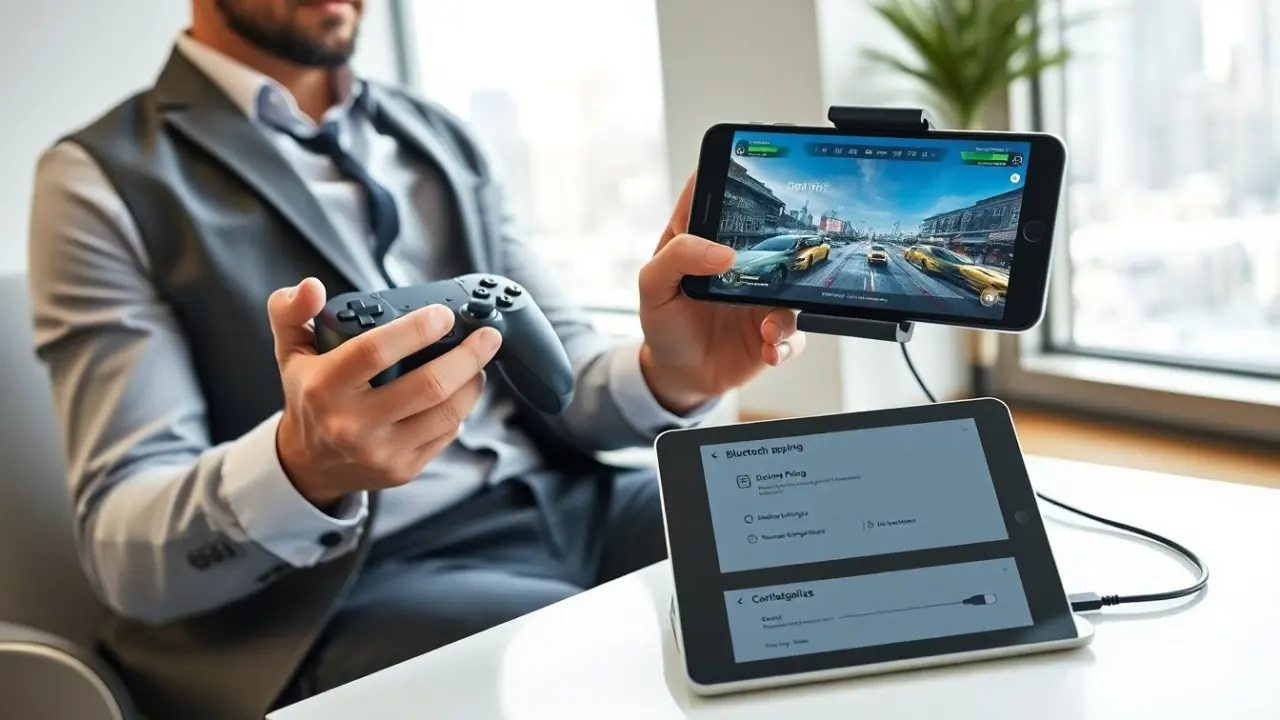
They pair most Bluetooth controllers the same way on iOS and Android. Players put the controller in pairing mode, open Settings, and select Bluetooth. The device shows the controller name, and the player taps to pair. After pairing, the player can test the controller in a simple game or in the system controller settings.
On iOS, players go to Settings > Bluetooth to pair a controller. iOS supports Xbox Wireless Controllers, PlayStation DualSense, and MFi controllers. Players can adjust button assignments inside supported games. Some games offer an in-game menu labeled Controller or Input. They open the menu and map actions to preferred buttons.
On Android, players go to Settings > Connected devices or Bluetooth. Android often supports the same major controllers. Some controllers require a companion app to unlock advanced features. Players should install that app from Google Play and follow the setup steps. If a game does not show controller input, the player should check game settings for Controller support or Input method.
For wired controllers, players use compatible adapters or a USB-C/Lightning cable. Players plug the controller to the phone and allow any permission prompts. For cloud gaming, players ensure the controller pairs before launching the stream app. They also enable low-latency mode in game or system settings when available. If a controller shows lag, players move closer to the phone, disable other Bluetooth devices, or switch to a different USB cable.
What To Look For In A Mobile Controller And Future Trends
They should pick a controller that fits their hand and supports their phone. Size matters for long sessions. Controllers with adjustable grips or phone clips help players hold their device and maintain ergonomics. Battery life matters. Players pick controllers that last through multiple sessions and that charge via common cables.
Button layout and trigger feel affect performance. Players prefer clickable face buttons and responsive triggers for shooters and racers. Analog stick quality influences aim and movement. Controllers with accurate sticks reduce drift and improve targeting. Haptic feedback and adaptive triggers add immersion. Players should test these features if they want next-level feedback.
Compatibility matters. Players check that the controller lists iOS and Android support and that major cloud services include the controller in their compatibility lists. Players also check for firmware updates and a companion app that allows remapping. Remapping helps players assign complex actions to one button and simplifies long sessions.
Design trends indicate more modular and lightweight controllers. Vendors add quick-attach phone mounts and magnetic clips. Vendors also add new low-latency wireless protocols to cut input lag. Cloud gaming growth pushes developers to add controller bindings by default. Adaptive accessories that adjust shape and weight will arrive in more affordable models.
Players should also watch for software trends. Game developers increasingly include built-in controller tutorials and presets. They also publish recommended sensitivity and deadzone values. Players follow these presets to get a near-instant good setup and then tweak values to match their play style.